Morse Scout’s activities are on two menus. Send activities use your key. Receive activities are for listening and copying.
Send menu
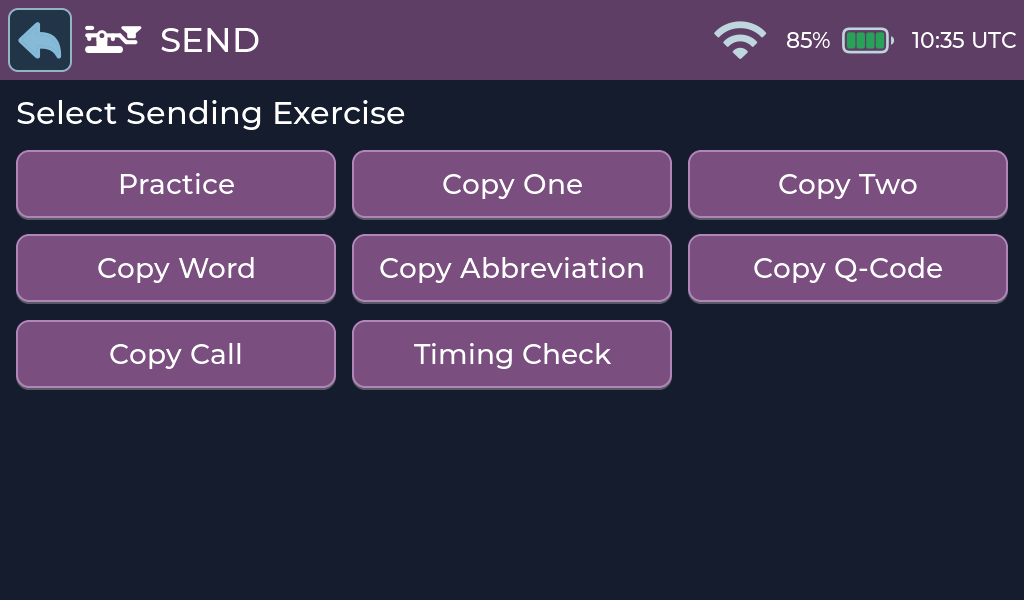
| Activity | What you do |
|---|---|
| Send Practice | Send freely and see your Morse decoded on screen. |
| Copy One | Morse Scout sends one letter; you send it back. |
| Copy Two | The same with two letters. |
| Copy Word | The same with whole words. |
| Copy Abbreviation | The same with common CW abbreviations, then see the meaning. |
| Copy Q-Code | Send back common Q-codes, then see what they mean. |
| Copy Call | The same with amateur radio callsigns, optionally with the country. |
| Timing Check | Send one character on a straight key or bug and compare your timing with the ideal. |
Receive menu

| Activity | What you do |
|---|---|
| Letters | Copy random letters sent in groups of five. |
| Words | Copy words and phrases from a list, with optional spoken answers. |
| Book | Copy a book or long text file, page by page. |
| Koch Method | Hear, identify and send characters from progressively larger lesson groups. |
| Flashcards | Hear a Morse card and choose the matching answer from four choices. |
Before you start any activity
- Set up your key in Keyer settings. Send activities need at least one input that is not Not Connected.
- Choose a comfortable speed. You can change it during any activity with the speed control in the title bar.