What this activity teaches
Flashcards builds quick recognition. Morse Scout plays a character or code in Morse without displaying it first. You identify what you heard by choosing one of four answers.
What you need
- Morse Scout. No key or paddle is required.
Choose your flashcards
- On the main menu, select Receive.
- Select Flashcards. The PICK FLASHCARDS screen opens.
- Choose Letters, Numbers, Punctuation, Q-Codes, or Abbreviations from the list.
- For Letters, Numbers, or Punctuation, select the groups or individual cards you want to practise.
- Select Start. Start is unavailable when the selected set contains no enabled cards.
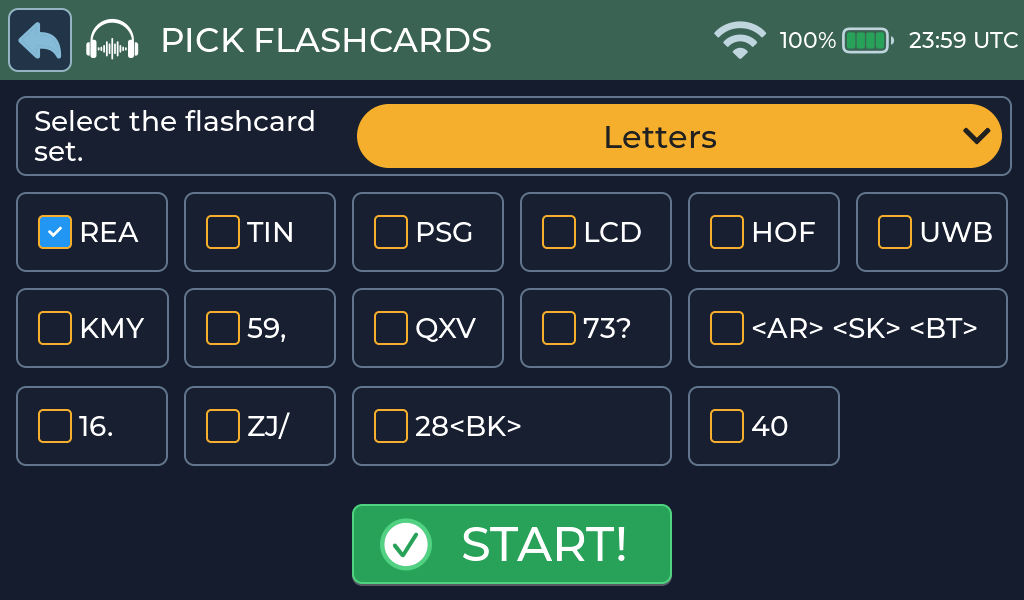
The Letters screen groups characters in Koch lesson order. For example, the first group is R E A. Q-Codes and Abbreviations use their complete sets and do not require individual selections.
Screen and controls
The Receive title bar provides:
- Back: return to the Flashcards setup screen.
- Replay: play the current card again.
- Speed: change the character speed.
The green circle on the right shows your current score.
Choose an answer
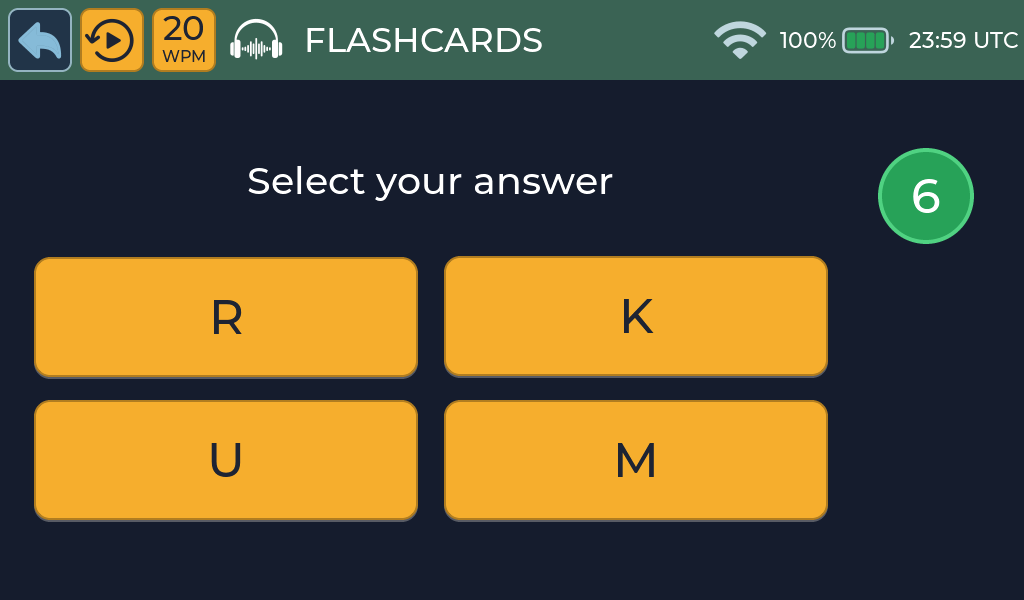
Listen to the Morse card, then select one of the four answers. Use Replay if you need to hear the card again. The answer is not revealed before you make your choice.
Correct answer
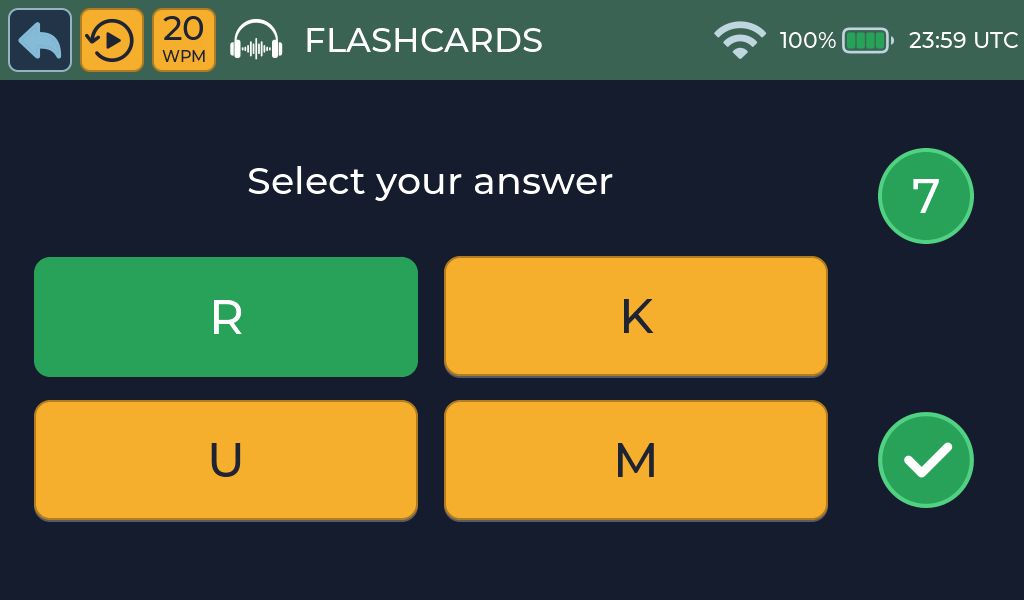
A correct answer turns green and increases the score by one. Morse Scout plays the correct-answer sound, holds the result briefly, and then starts the next card automatically.
Incorrect answer
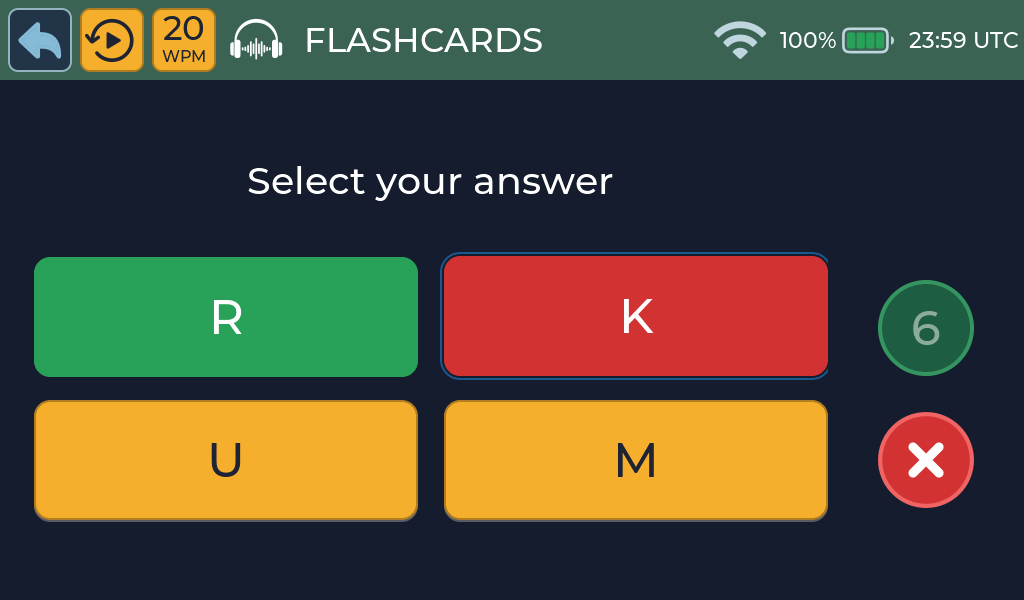
An incorrect selection turns red, while the correct answer is identified in green. The score panel falls away and fades as the consecutive-correct score resets to zero. After a brief result display, the next card starts automatically.
Scoring
The score counts consecutive correct answers:
- A correct answer adds one.
- An incorrect answer resets the score to zero.
Available sets
| Set | Cards |
|---|---|
| Letters | A to Z, grouped in Koch lesson order |
| Numbers | 0 to 9 |
| Punctuation | Period, comma, question mark, slash, and dash |
| Q-Codes | QTH, QSB, QRM, QRN, QRS, and QRQ |
| Abbreviations | CQ, AGN, RPT, TNX, 73, and DE |
Practice tips
- Begin with a small group and add cards as recognition becomes automatic.
- Use Replay when necessary, but try to answer from the first playback.
- Reduce the speed if you are guessing; increase it when recognition feels comfortable.
Common problems
- Start is unavailable: select at least one Letters, Numbers, or Punctuation option.
- The card is too fast: use the speed control in the title bar.
- More help: Troubleshooting.