Open Settings → Keyer. Each of the three key inputs has its own settings.
Choose an input
Key Input selects which input you are editing: Input 1, Input 2 or Input 3. Changing this does not turn other inputs off. Each input keeps its own settings until you save or cancel.
Key Type
| Key Type | Use for | Contacts used |
|---|---|---|
| Not Connected | Nothing plugged in. The input is ignored. | None |
| Straight Key | A straight (hand) key or a cootie used as a single contact. | Tip only |
| Paddle | A single- or dual-lever paddle, using Morse Scout’s built-in keyer. | Tip and ring |
| Bug | A semi-automatic (bug) key. | Tip only |
On a new device every input is Not Connected.
The rows below Key Type change with the key type you choose.

Straight keys use a single contact and require no additional keyer options.
Paddle options
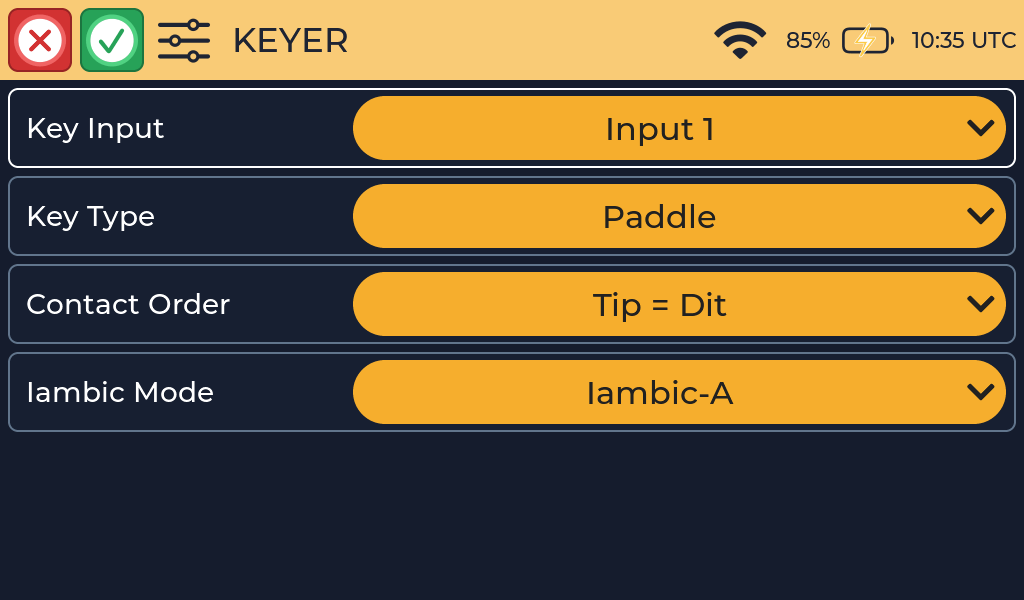
Paddle inputs provide contact-order and iambic-mode settings.
| Setting | Choices | Notes |
|---|---|---|
| Contact Order | Tip = Dit, Tip = Dah | Swap this if dits and dahs come out reversed. Useful for left-handed operation. |
| Iambic Mode | Iambic-A, Iambic-B | How the keyer behaves when you squeeze both paddles. New inputs use Iambic-A. |
Both iambic modes send alternating dits and dahs while you squeeze both paddles, and both remember a quick tap of the opposite paddle. The difference is what happens when you release a squeeze:
- Iambic-A stops after the element being sent.
- Iambic-B sends one extra opposite element.
If you are not sure which you learned on, start with Iambic-A.
Bug options
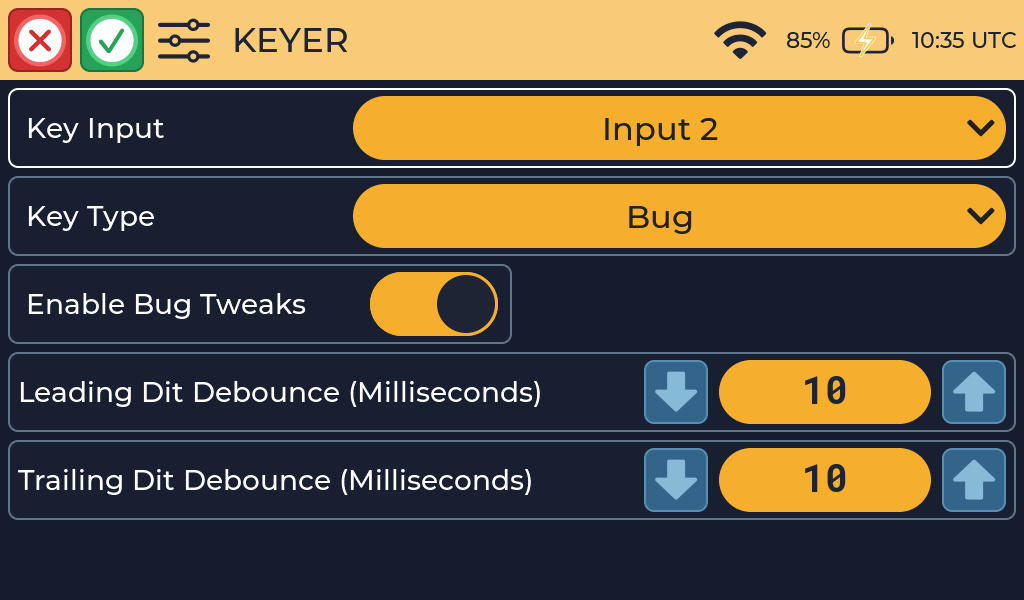
Enable Bug Tweaks to display the leading and trailing dit debounce controls.
| Setting | Range | Default | Notes |
|---|---|---|---|
| Bug Tweaks | On or off | Off | Shows the two debounce settings. |
| Leading Dit Debounce | 0 to 50 ms | 10 ms | Ignores contact bounce at the start of a dit. |
| Trailing Dit Debounce | 0 to 50 ms | 10 ms | Ignores contact bounce at the end of a dit. |
Increase these only if your bug produces extra, very short dits. Larger values add delay to the sidetone.
Using several inputs
- Whichever input starts a character owns it until the character ends.
- An input that is held down or shorted when Morse Scout starts does not stop the other inputs. It becomes usable once released.
- Timing Check uses only inputs set to Straight Key or Bug.
Select the green checkmark to save, or the red X to cancel without saving.