Before reporting, check Troubleshooting and Known limitations.
Include these details
- Firmware versions: the main firmware version is shown at the bottom of the main screen.
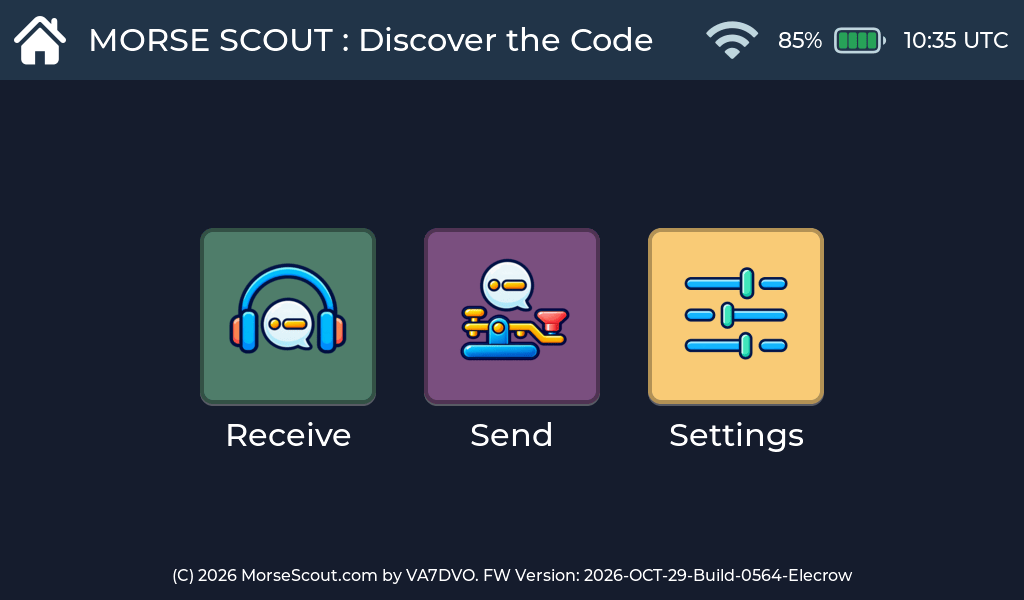
You can also open Settings → Diagnostics to see both the ESP32-P4 main firmware version and the ESP32-C6 Wi-Fi coprocessor firmware version.
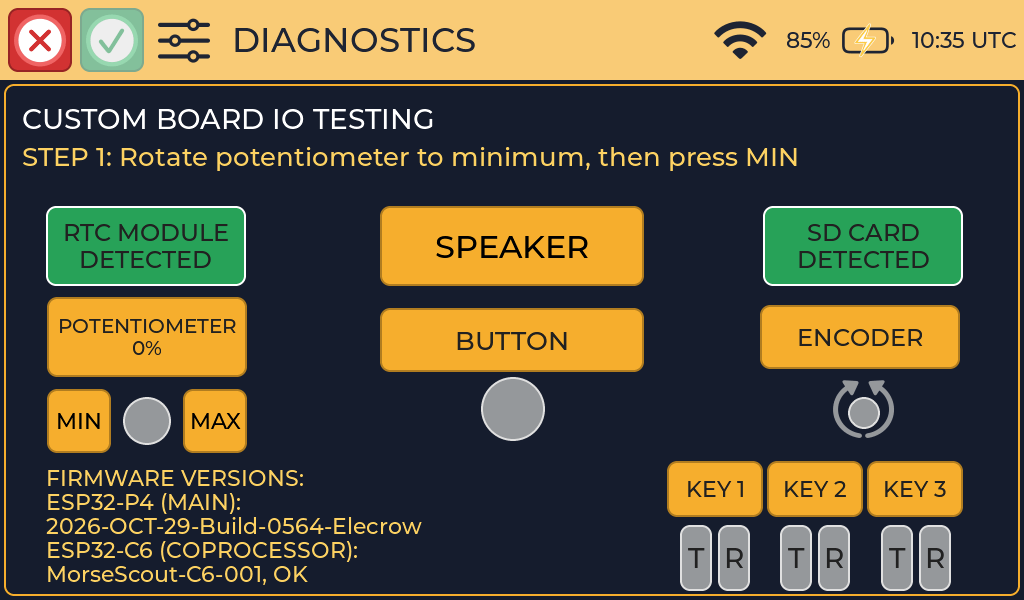
For example, in 2026-OCT-29-Build-0564-Elecrow, 2026-OCT-29 is the
firmware build date and Build-0564 is the build number. Elecrow
identifies the board version for which the firmware was built. Please
include the complete main firmware string and the ESP32-C6 version shown on
the Diagnostics screen.
- What you were doing: the activity or settings screen.
- What you expected and what happened instead.
- Steps to repeat it, if you can.
- Your key setup: key type on each input, and for paddles the Iambic Mode and Contact Order.
- Speed settings: Character Speed and Farnsworth Speed.
- Photos or a short video of the screen, if helpful.
Do not send Wi-Fi passwords or other private information.
Where to report
Report problems in the public Morse Scout firmware issue tracker. You can also browse the other projects in the Morse Scout GitHub organization.