The sidetone is the tone you hear when you key, and the tone Morse Scout uses when it sends to you.
Choose a sidetone
Open Settings → Sidetone.
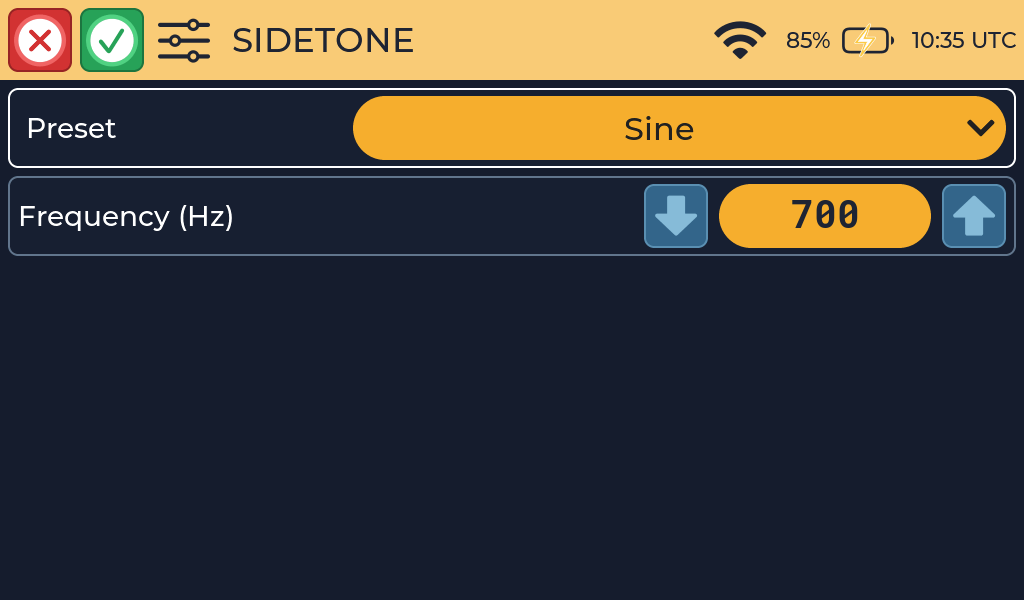
| Setting | Range | Default | What it does |
|---|---|---|---|
| Preset | List of tone styles | First preset | Changes the character of the tone, for example a clean sine wave or the softer sound of an older radio. |
| Frequency | 100 to 2000 Hz, in 10 Hz steps | Set by the preset | The pitch of the tone. |
| Selecting a preset immediately loads its default frequency. You can then | |||
| adjust the frequency independently in 10 Hz steps. |
Presets and frequency
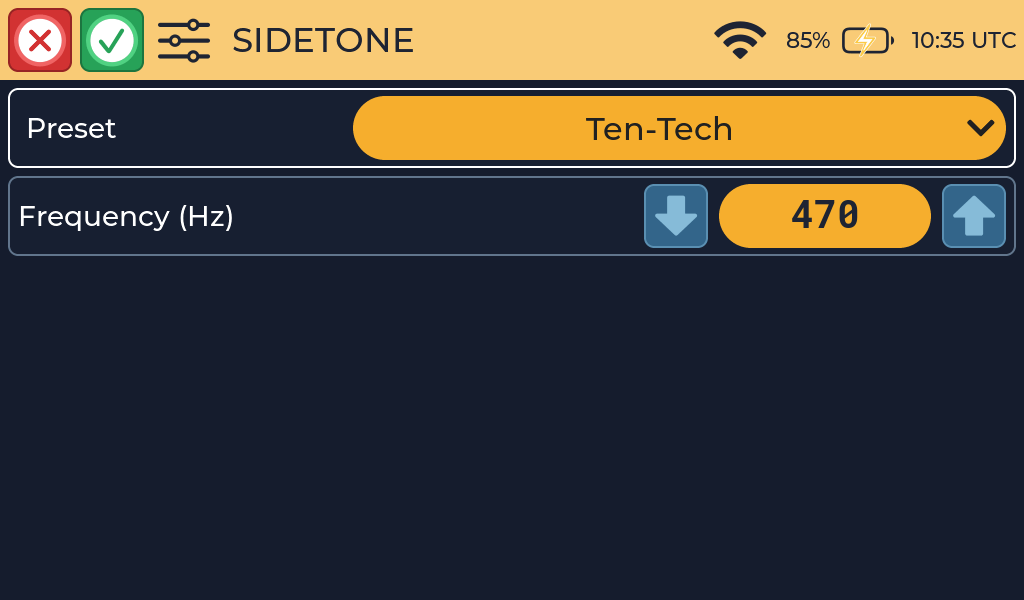
Presets included with current firmware are named Sine, TubeSoft, Ten-Tech, Yaesu, Chicken and Vintage.
The built-in preset defaults are:
| Preset | Default frequency | Character |
|---|---|---|
| Sine | 700 Hz | Clean sine wave |
| TubeSoft | 700 Hz | Warm tone with low harmonics |
| Ten-Tech | 470 Hz | Lower tone with a strong second harmonic |
| Yaesu | 550 Hz | Tone based on a measured Yaesu sidetone |
| Chicken | 640 Hz | Deliberately playful modulated tone |
| Vintage | 700 Hz | Warm tone with subtle harmonics |
Custom preset files can replace this built-in list.
Volume controls
Sidetone volume is controlled on Settings → Device:
- Master Volume controls overall output. On devices with a physical volume knob, the slider is read-only and follows the knob.
- Morse Volume controls the sidetone and received Morse relative to Master Volume.
- Speech Volume controls spoken prompts relative to Master Volume.
How the volume settings combine
The loudness of the Morse tone is Master Volume multiplied by Morse Volume. For example, Master Volume 50% and Morse Volume 60% gives 30%. If either is 0%, the tone is silent.
Practice noise in Send Practice also follows the device volume.
Select the green checkmark to save, or the red X to cancel without saving.